Integrate
Pick your stack — integrate in minutes.
4 paths, equal weight: Shopify, WooCommerce, AI builders (Lovable / v0 / Bolt / Cursor), or direct API. Click the one that describes you and we walk through the exact steps — nothing more, nothing less.
No site at all?
Wix, Squarespace, Webflow, Framer, plain HTML?
 WordPress + WooCommerce
WooCommerce plugin — 5 minutes, zero code
Download the .zip, upload it to WordPress, paste your API key, webhook secret and wallet. Checkout live.
The whole flow · 8 quick steps~5 min
- 1You already have a WordPress site with WooCommerce installed.
- 2Go to pay.qistdigital.com/app/api-keys, sign up (email + password), paste your Polygon USDC wallet.
- 3On the same page, copy your
sk_live_…key andwhsec_…secret (shown once). - 4Click the green Download plugin (.zip) button below.
- 5WP Admin → Plugins → Add New → Upload Plugin → pick the .zip → Install → Activate.
- 6WooCommerce → Settings → Payments → enable PeptidePay — Smart → click Manage.
- 7Paste the API Key and Webhook Secret from step 3 → Save.
- 8Done. Your checkout now accepts Apple Pay, Google Pay & cards. Orders are auto-marked paid.
Prefer screenshots ? Scroll down — every step has a visual walkthrough.
Download plugin (.zip)WC 7.0+ · WP 6.0+ · PHP 7.4+ · HPOS compatible
1
Download the plugin
Click Download plugin (.zip) above. It saves as
PeptidePay-woocommerce.zip.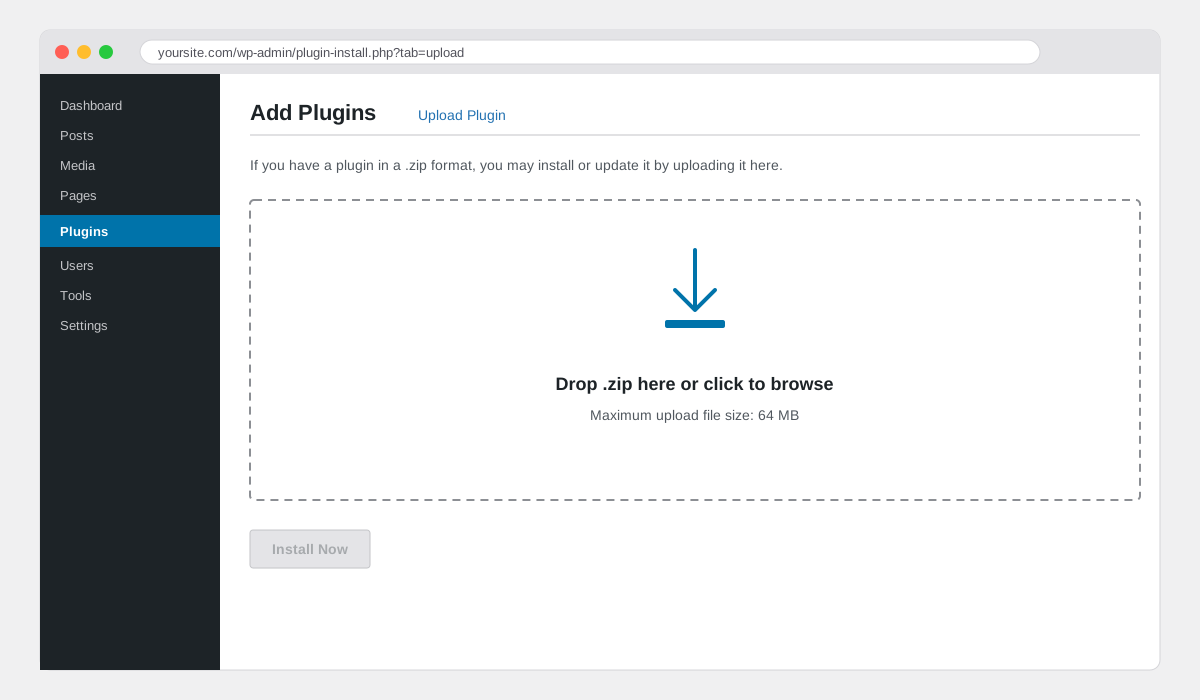
2
Upload to WP Admin
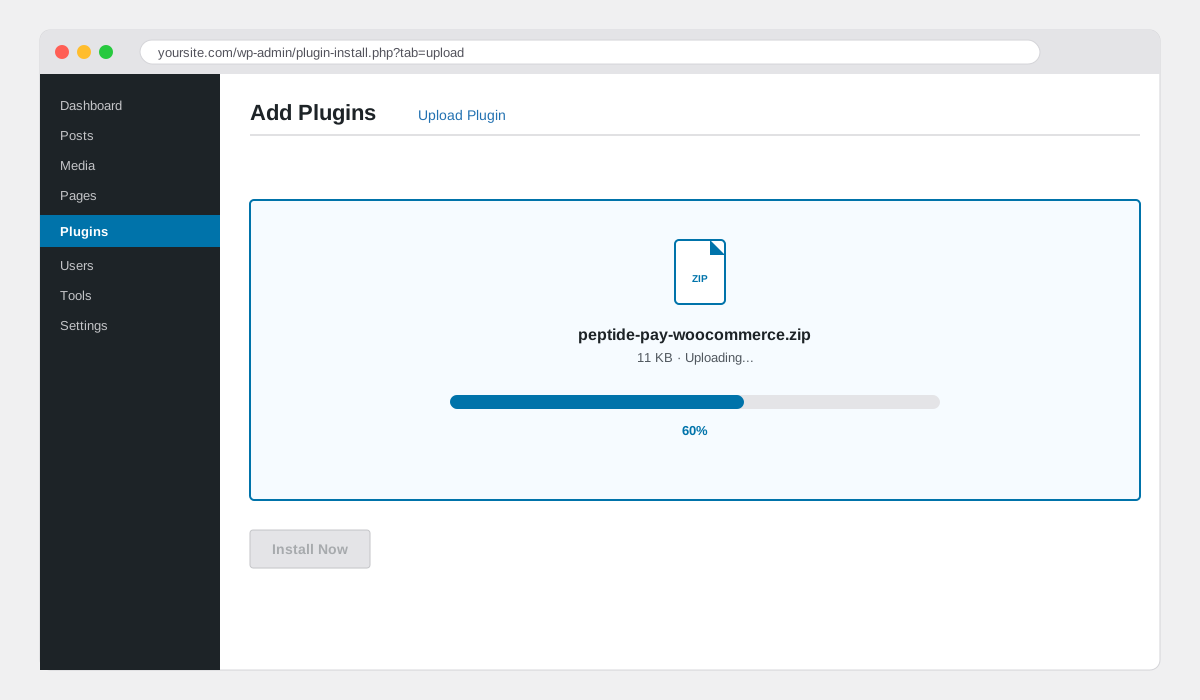
WP Admin → Plugins → Add New → Upload Plugin. Drop the .zip, click Install Now.
3
Activate
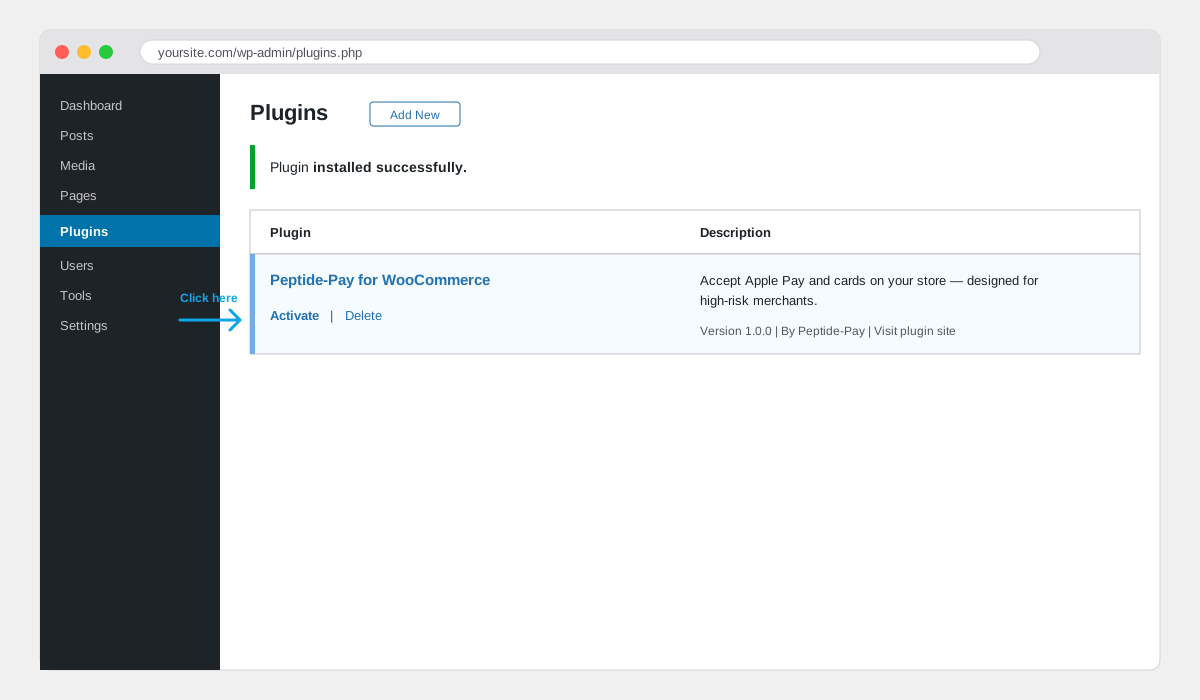
WordPress shows the plugin row. Click Activate under PeptidePay for WooCommerce.
4
Enable in WooCommerce → Settings → Payments
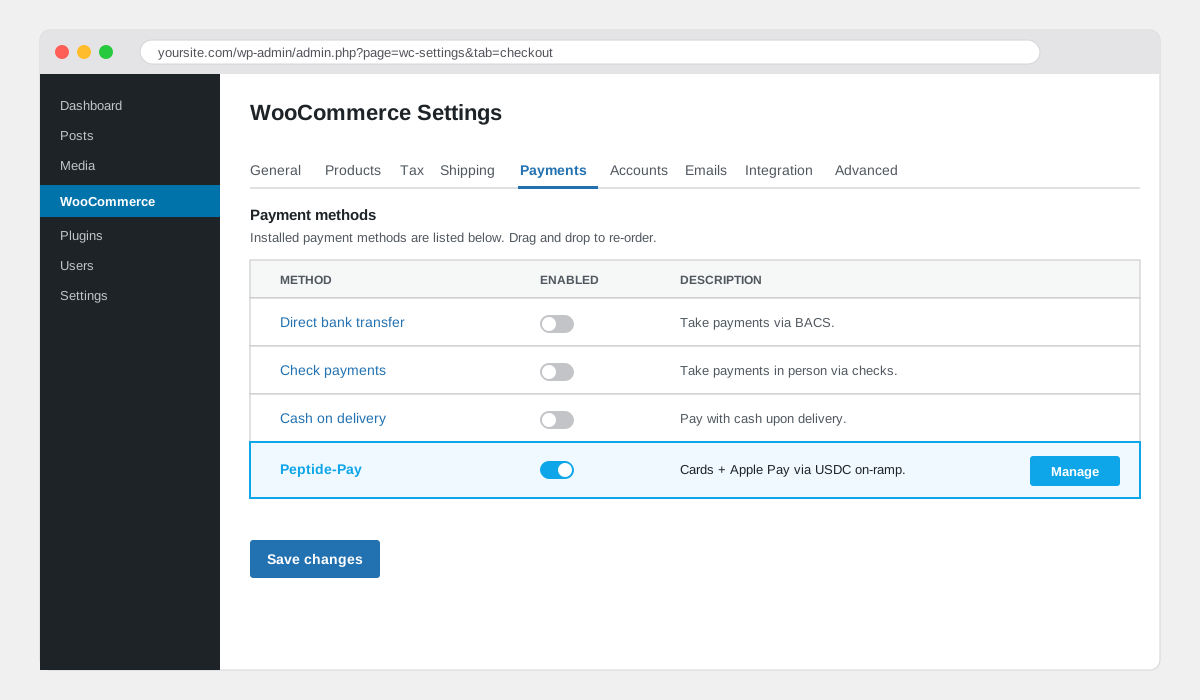
Under Payments you'll see PeptidePay. Toggle it on and click Manage.
5
Paste API Key and Webhook Secret — save
Paste your
sk_live_… key and whsec_… secret, both copied from pay.qistdigital.com/app/api-keys. Save. Place a test order to validate the webhook flow.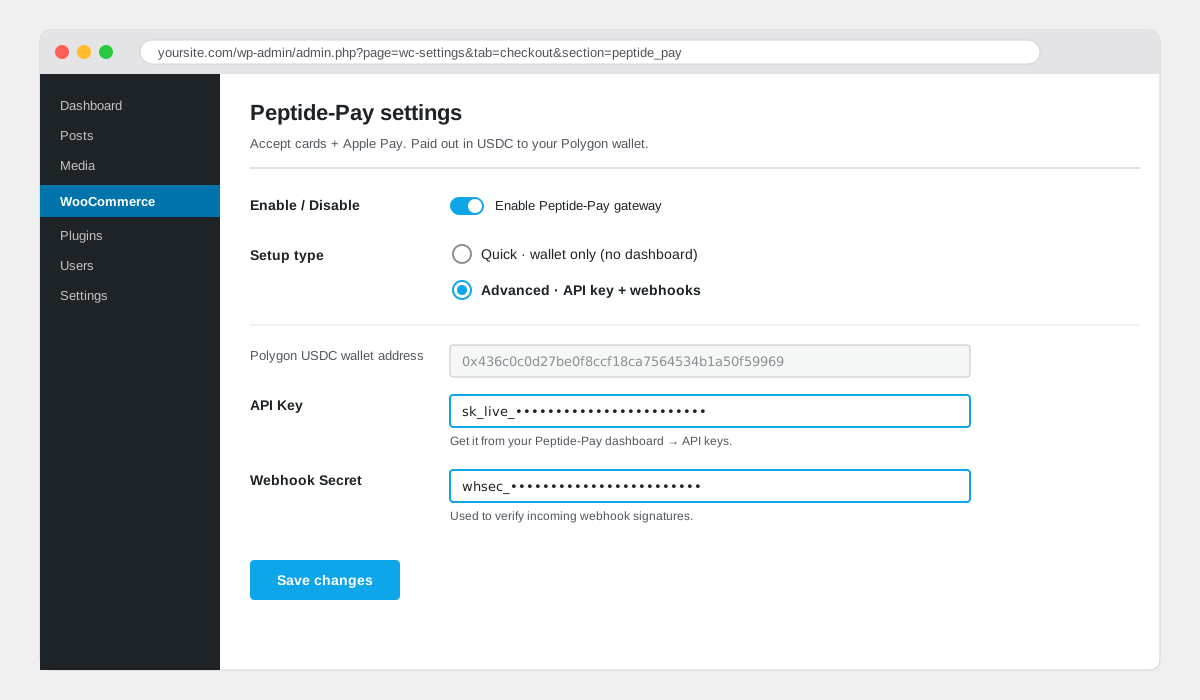
What happens on the next order?
- → Customer checks out with Apple Pay / Google Pay / card / crypto on our hosted page.
- → USDC lands in your wallet within ~30s.
- → Plugin receives the HMAC webhook and marks the order Processing.
- → Your usual WooCommerce emails fire. You ship.
Works with Woodmart, Divi, Elementor, Astra?
Yes. The plugin hooks into the WooCommerce payment gateway API, which every theme respects. No template edits needed.
Is it HPOS (High-Performance Order Storage) compatible?
Yes — we declare HPOS compatibility in the plugin bootstrap. You can enable HPOS without breaking the gateway.
Can I issue refunds from WP admin?
Partial and full refunds are available on orders ≤ 30 days old, initiated straight from the WooCommerce order page.
Integrate.wooTutorial.helpText
@vidaspiThe 5 questions everyone asks
Do I need to register a company?+−
No. We don't KYC you and we don't ask for a legal entity. All you need is a Polygon USDC address where payments land — we never hold the funds.
How does my customer pay — card or crypto?+−
Both. Our hosted checkout accepts Apple Pay, Google Pay, Visa/Mastercard/Amex and direct crypto. You always receive USDC on Polygon.
What's the fee?+−
Our cut is <b>flat 3%</b>. On card payments, the on-ramp (Moonpay/Revolut/Banxa/etc.) adds ~4.5% pass-through — total ~7.5%, you net ~92.5%. On crypto-direct (USDC→USDC), no on-ramp — you pay just the 3% and net ~97%. Exact calculator on /fees.
Can I test without spending real money?+−
Use MoonPay's dev card
4242 4242 4242 4242 with any future expiry. Point your webhook at an ngrok tunnel to see the signed POST end-to-end.Something is wrong. Who do I talk to?+−
Telegram @vidaspi. Send a screenshot of the error, the session id, and what you tried. Real humans, usually under an hour on weekdays.