Integrate
Pick your path — integrate in minutes.
One of these four describes you. Click it and we walk you through the exact steps for your stack — nothing more, nothing less.
No site at all?
Wix, Squarespace, Webflow, Framer, plain HTML?
 WordPress + WooCommerce
WooCommerce plugin — 5 minutes, zero code
Download the .zip, upload it to WordPress, activate, paste your wallet. Your checkout is live.
The whole flow · 8 quick steps~5 min
- 1You already have a WordPress site.
- 2Ve a peptide-pay.com/app/api-keys, regístrate (email + contraseña) y pega tu dirección de wallet (0x…).
- 3Click the green Download plugin (.zip) button below.
- 4WP Admin → Plugins → Add New → Upload Plugin → pick the .zip → Install.
- 5Click Activate.
- 6WooCommerce → Settings → Payments → enable PeptidePay → Save.
- 7Click Manage → paste your wallet address (0x…).
- 8Done. Your checkout now accepts Apple Pay, Google Pay & cards.
Prefer screenshots ? Scroll down — every step has a visual walkthrough.
Download plugin (.zip)WC 7.0+ · WP 6.0+ · PHP 7.4+ · HPOS compatible
1
Download the plugin
Click Download plugin (.zip) above. It saves as
peptide-pay-woocommerce.zip.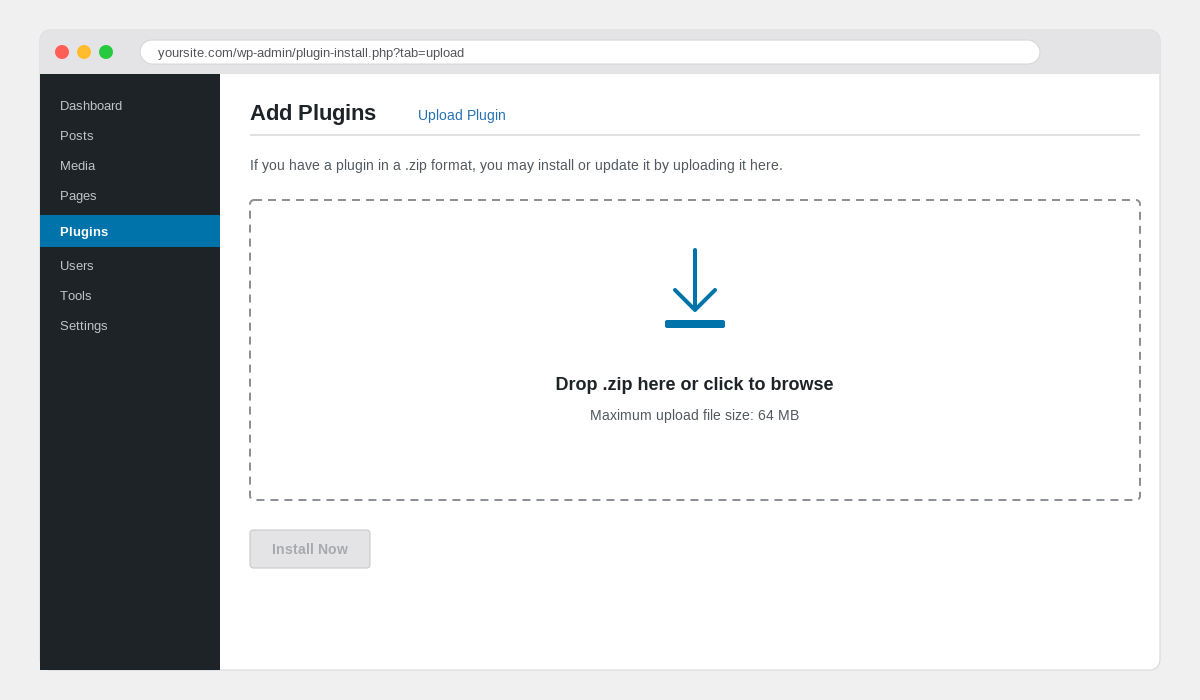
2
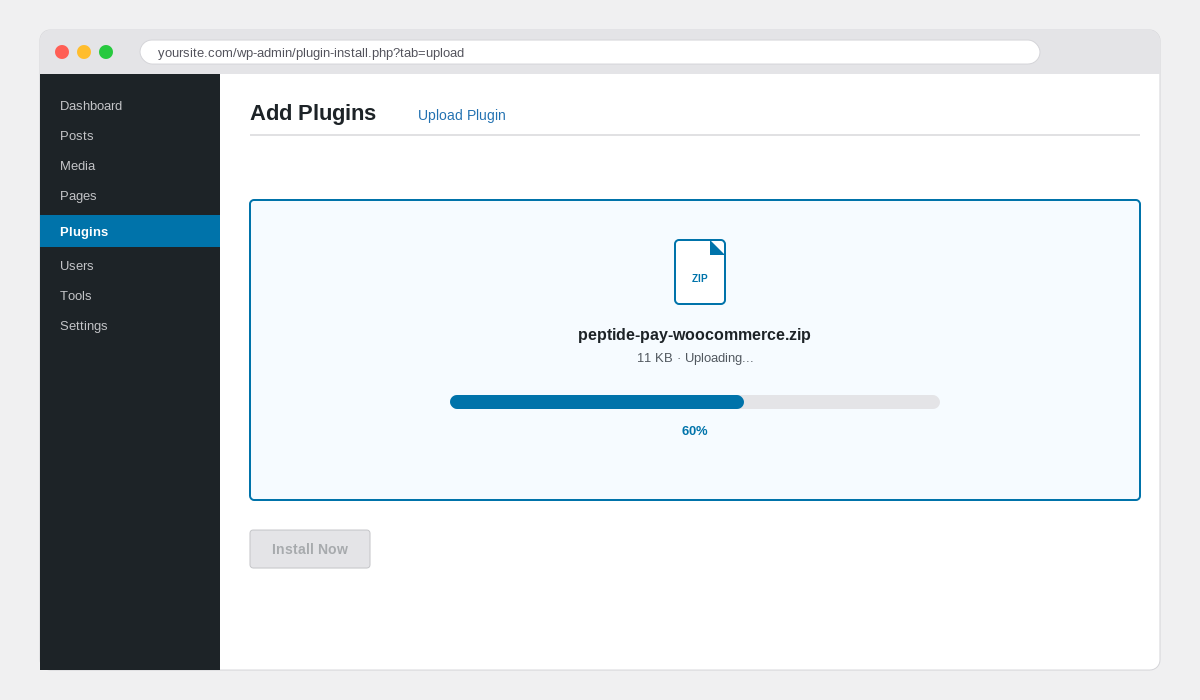
Upload to WP Admin
WP Admin → Plugins → Add New → Upload Plugin. Drop the .zip, click Install Now.
3
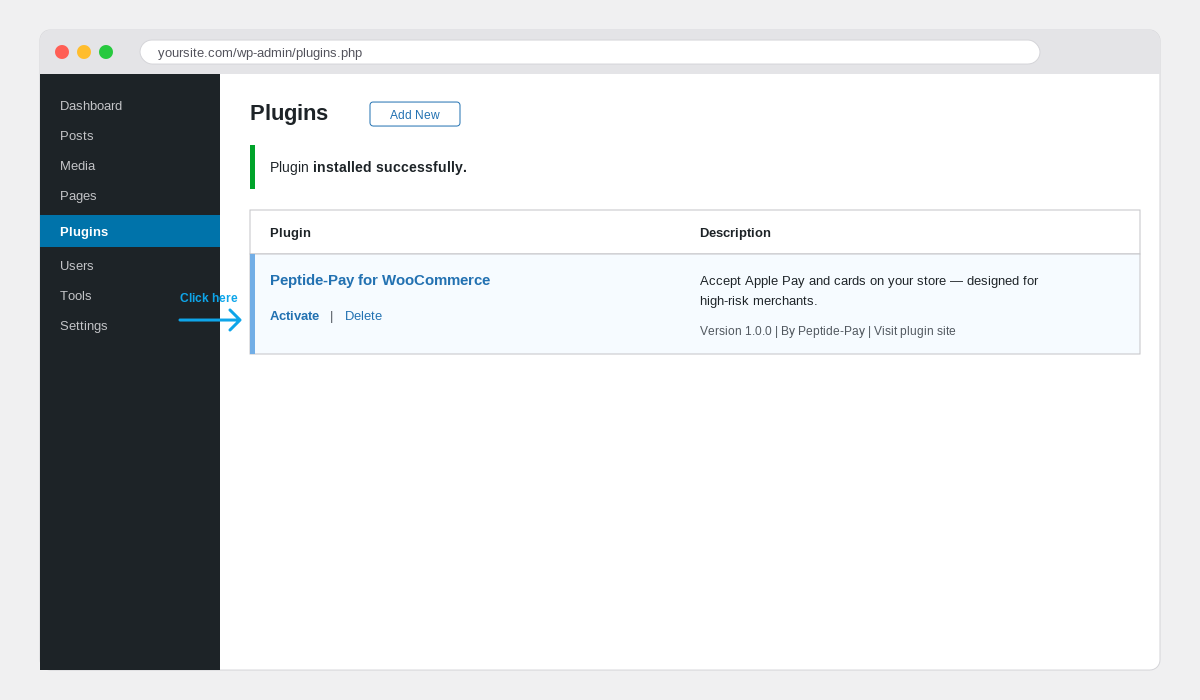
Activate
WordPress shows the plugin row. Click Activate under PeptidePay for WooCommerce.
4
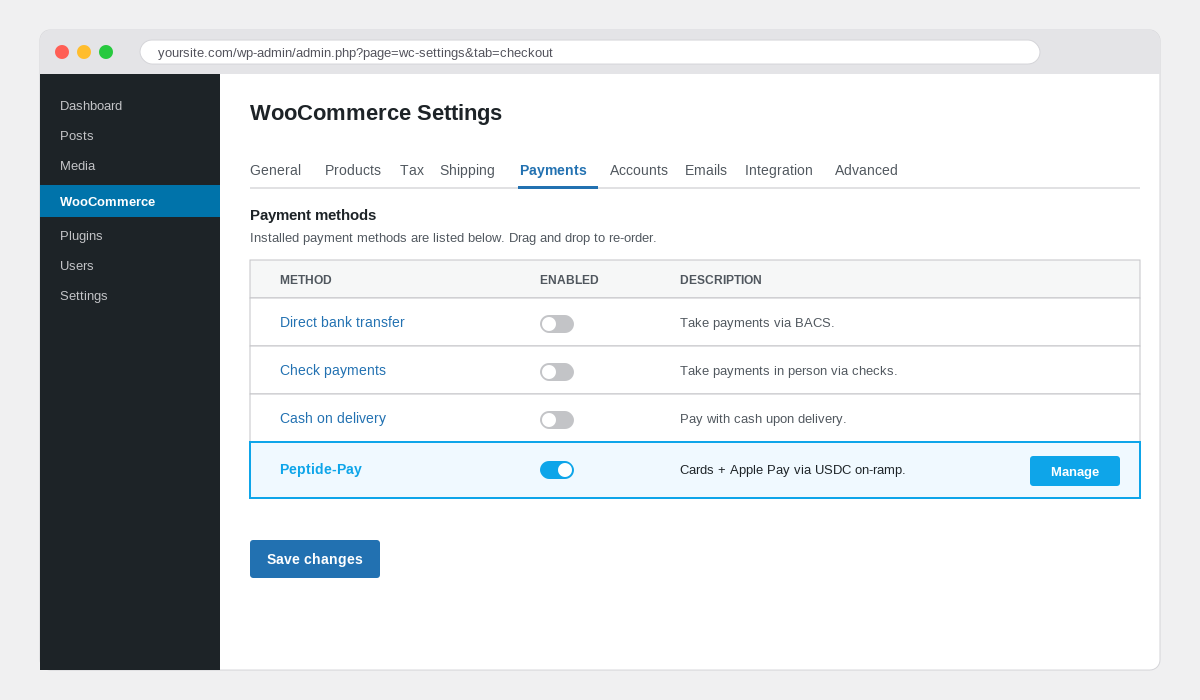
Enable in WooCommerce → Settings → Payments
Under Payments you'll see PeptidePay. Toggle it on and click Manage.
5
Paste your wallet — save
Choose Quick (paste your wallet address, starts with
0x) or Advanced (API key + webhook secret from /app/settings). Save. Place a test order.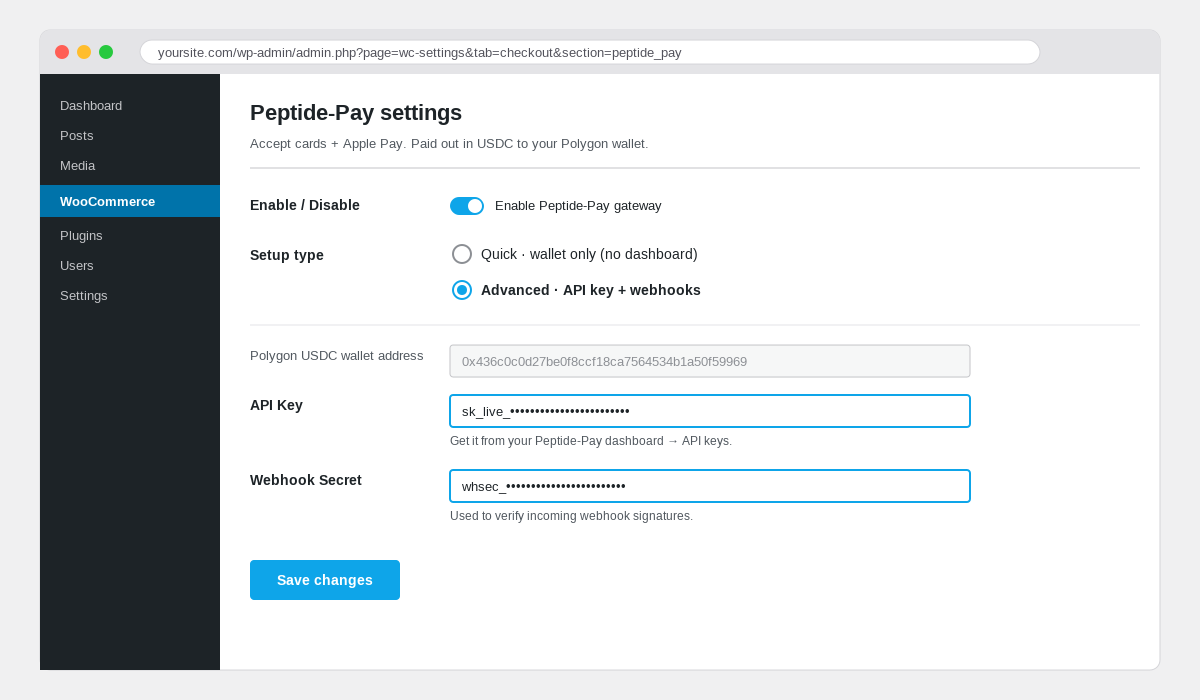
What happens on the next order?
- → Customer checks out with Apple Pay / Google Pay / card / crypto on our hosted page.
- → USDC lands in your wallet within ~30s.
- → Plugin receives the HMAC webhook and marks the order Processing.
- → Your usual WooCommerce emails fire. You ship.
Works with Woodmart, Divi, Elementor, Astra?
Yes. The plugin hooks into the WooCommerce payment gateway API, which every theme respects. No template edits needed.
Is it HPOS (High-Performance Order Storage) compatible?
Yes — we declare HPOS compatibility in the plugin bootstrap. You can enable HPOS without breaking the gateway.
Can I issue refunds from WP admin?
Partial and full refunds are available on orders ≤ 30 days old, initiated straight from the WooCommerce order page.
The 5 questions everyone asks
Do I need to register a company?+−
No. No te hacemos KYC ni pedimos una empresa. Solo necesitas una dirección de wallet personal (0x…) que acepte Ethereum y Polygon, donde llegan los pagos. Nunca retenemos los fondos.
How does my customer pay — card or crypto?+−
Ambos. Nuestro checkout alojado acepta Apple Pay, Google Pay, Visa/Mastercard/Amex y cripto directa. Los fondos llegan a tu dirección de wallet, casi siempre en Ethereum (ETH o USDC), a veces en Polygon.
What's the fee?+−
3% fijo. Sin mensualidad, sin coste de alta, sin líos de contracargos. Lo que paga el cliente menos el 3% llega a tu wallet.
Can I test without spending real money?+−
Usa la dev card de MoonPay
4242 4242 4242 4242 con cualquier fecha de expiración futura. Apunta tu webhook a un túnel ngrok para ver el POST firmado end-to-end.Something is wrong. Who do I talk to?+−
Telegram @vidaspi. Send a screenshot of the error, the session id, and what you tried. Real humans, usually under an hour on weekdays.